Google Play Switzerland

▶️

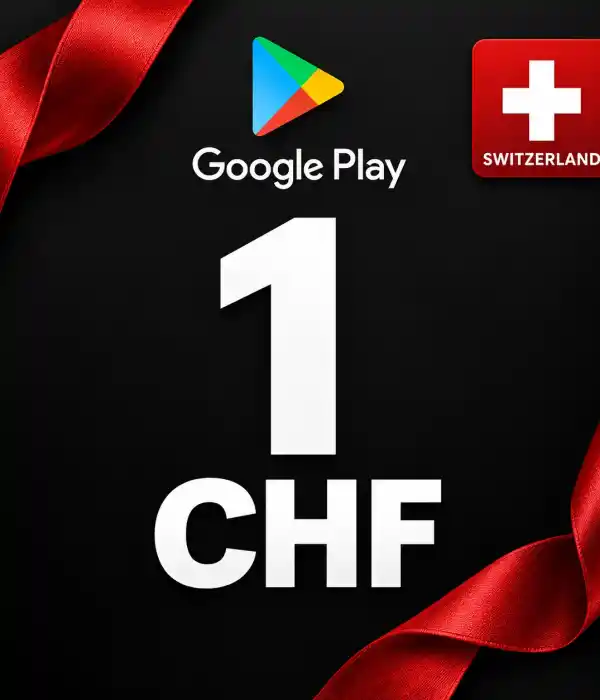
Buy Google Play Switzerland Code - Instant Delivery of CHF Digital Code

Complete your Google Play Switzerland code purchase securely through Durmaplay. Explore digital code options specific to the Switzerland region, ranging from 1 CHF to 1000 CHF, and receive your code quickly after payment confirmation.

⚡ Instant Digital Delivery🇨🇭 Switzerland Region📱 Google Play / Android💳 12 Different CHF Values🛡 Secure Payment

▶️ What is a Google Play Switzerland Code?

Google Play SwitzerlandThese are regional digital code products offered for use in compatible Google Play accounts set to the Switzerland region. The codes are not a physical product; they are delivered digitally post-payment confirmation.

The category includes 12 options: 1, 2, 3, 5, 10, 25, 50, 100, 150, 250, 500, and 1000 CHF. Before purchasing, make sure your Google Play account country is set to Switzerland.

🇨🇭 Switzerland Region Compatibility

The codes in this category are specific to the Switzerland region. To use the code without issues, your Google Play account's country/region setting must be compatible with Switzerland. Activation may fail on accounts with different country settings.

⚡ Instant Digital Code Delivery

Once your payment is confirmed, the Google Play CH code you purchased is delivered digitally. You can access your code through your order details without waiting for physical shipping.

⚠️ Check Before Purchase

Ensure you have selected the correct CHF amount and that your account is associated with the Switzerland region. Review the product name and detailed product description before ordering to avoid region or amount mismatches.

💰 Google Play Switzerland Code Options

In the Google Play Switzerland category, there are 12 different CHF options ranging from low to high-value digital spending. Select the amount that suits your needs and see the current sale price on the product card.

Sale prices may vary based on supply conditions and current costs. The valid price at the time of order is displayed on the selected product page.

📦 Available Google Play CHF Amounts

1 CHFGoogle Play CH digital code
2 CHFGoogle Play CH digital code
3 CHFGoogle Play CH digital code
5 CHFGoogle Play CH digital code
10 CHFGoogle Play CH digital code
25 CHFGoogle Play CH digital code
50 CHFGoogle Play CH digital code
100 CHFGoogle Play CH digital code
150 CHFGoogle Play CH digital code
250 CHFGoogle Play CH digital code
500 CHFGoogle Play CH digital code
1000 CHFGoogle Play CH digital code

🔍 Google Play Switzerland Product Comparison

ProductCode AmountUsage Preference
Google Play CH 1 CHF1 CHFLow-value usage
Google Play CH 2 CHF2 CHFLow-value usage
Google Play CH 3 CHF3 CHFLow-value usage
Google Play CH 5 CHF5 CHFBalanced digital spending
Google Play CH 10 CHF10 CHFBalanced digital spending
Google Play CH 25 CHF25 CHFBalanced digital spending
Google Play CH 50 CHF50 CHFBalanced digital spending
Google Play CH 100 CHF100 CHFHigh-value usage
Google Play CH 150 CHF150 CHFHigh-value usage
Google Play CH 250 CHF250 CHFHigh-value usage
Google Play CH 500 CHF500 CHFHigh-value usage
Google Play CH 1000 CHF1000 CHFHigh-value usage

🛒 How to Buy a Google Play Switzerland Code?

1

Select CHF Amount

Determine the product within the range of 1–1000 CHF that suits your needs.

2

Check the Region

Ensure that your Google Play account is compatible with the Switzerland region.

3

Complete the Payment

Add the product to the cart and complete the secure payment process.

4

Activate the Code

Use the delivered digital code in your compatible Google Play account.

🔑 How to Use a Google Play Switzerland Code?

In the Google Play app: Open Google Play with your compatible account, navigate to the option to redeem codes in the payments section, enter the code you received, and confirm.

Via the web: Sign in with your account that is compatible with the Switzerland region on the Google Play redeem code page, enter the code completely, and complete the process.

Before activation, check that you are on the correct Google account and that the account country is set to Switzerland.

🔥 Usage of Google Play Switzerland Code

📱 Can be used in a compatible Google Play account.
🎮 Can be used on eligible digital content in the Google Play Store.
💳 You can choose from 12 different CHF amounts as needed.
⚡ Delivered digitally after payment confirmation.
🇨🇭 Consists of products prepared for the Switzerland region.
🔐 You can activate your code only on your compatible account.

✅ Why Should You Buy Google Play Switzerland Code from Durmaplay?

⚡ Instant digital delivery after payment
🇨🇭 Exclusive product options for the Switzerland region
💰 12 different amounts between 1–1000 CHF
🔐 Secure and encrypted payment infrastructure
🛒 Easy purchase and order tracking
📞 Order and code usage support

▶️ Choose the Google Play Switzerland Code

Determine the CHF amount suitable for your account, check the region information, complete your payment, and receive your digital code instantly.

Explore Google Play CHF Codes

❓ Frequently Asked Questions

When is the Google Play Switzerland code delivered?

Your digital code is automatically delivered once your payment is confirmed. Physical shipping is not done.

On which accounts is the Google Play Switzerland code used?

The code should be used on compatible Google Play accounts with a country/region setting of Switzerland.

What CHF amounts are available in this category?

There are 12 options: 1, 2, 3, 5, 10, 25, 50, 100, 150, 250, 500, and 1000 CHF.

How do I activate the Google Play Switzerland code?

Open the code usage section on your compatible Google Play account, enter the received code completely, and confirm.

Can a code purchased for the wrong region be used?

Regional codes may not work on accounts with different country settings. Ensure your account is compatible with the Switzerland region before ordering.

📌 Important Notes

• Do not share your code with third parties.

• Check your account's region and chosen CHF amount before making a payment.

• Code usage terms are determined by Google Play and may change over time.

• Make sure you are logged into the correct Google account during activation.

Loading...